
See what's happening
in your neighborhood
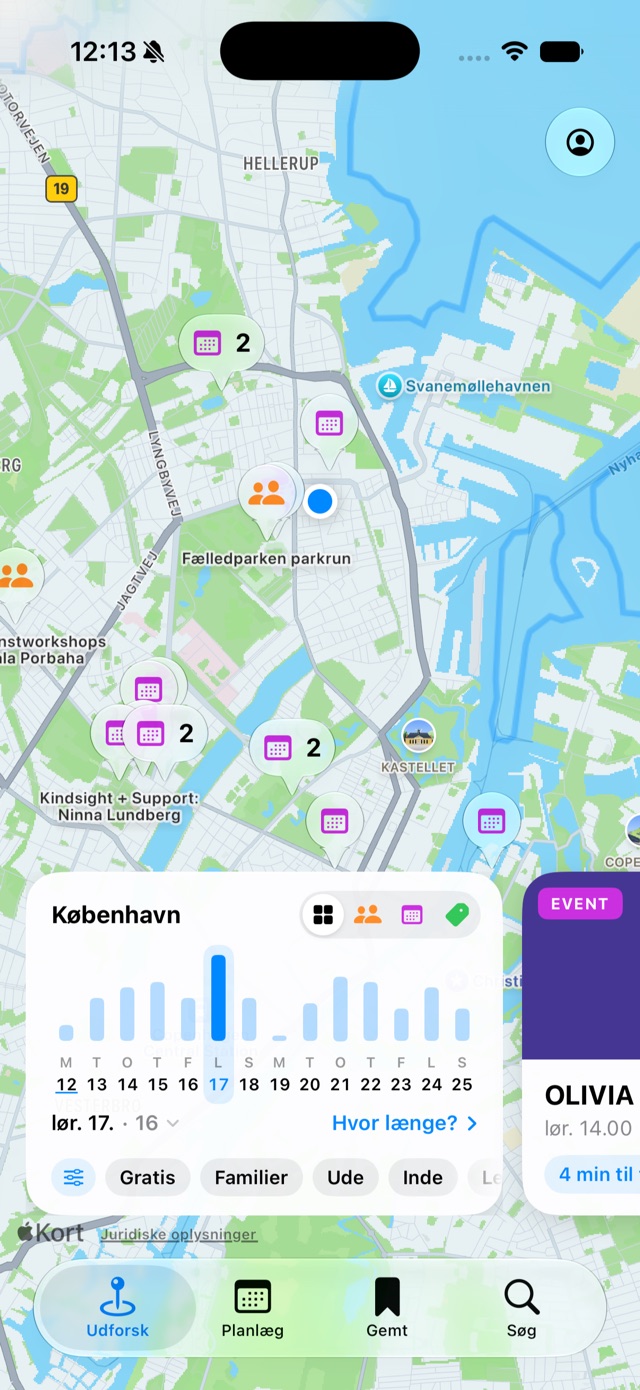
Everything local on one map, instead of scattered across notice boards and Facebook groups.
Download on the App Store Google PlayComing soon · get notified How it works
As featured on


- No. 1 among free apps on the App Store in Denmark, October 2026
- 150 happenings on the map in the next seven days
- almost 10,000 downloaded the app in the first week
Happenings in 3 categories
-
Event
Concerts, tours, talks. Things that happen at a set time, and that you can put in your calendar.
-
Community
Parkrun, shared dinners, volunteer nights. Things you show up to with your neighbors, where there's always room for one more.
-
Offer
Tickets before 2 pm, discounts at the place around the corner. Things that are cheaper precisely because you live nearby.
Got three hours
and a bike?
Tap "How long?" on the time card, and choose when you're free and how you want to get around. Then the map only shows what you can actually get to and back from.
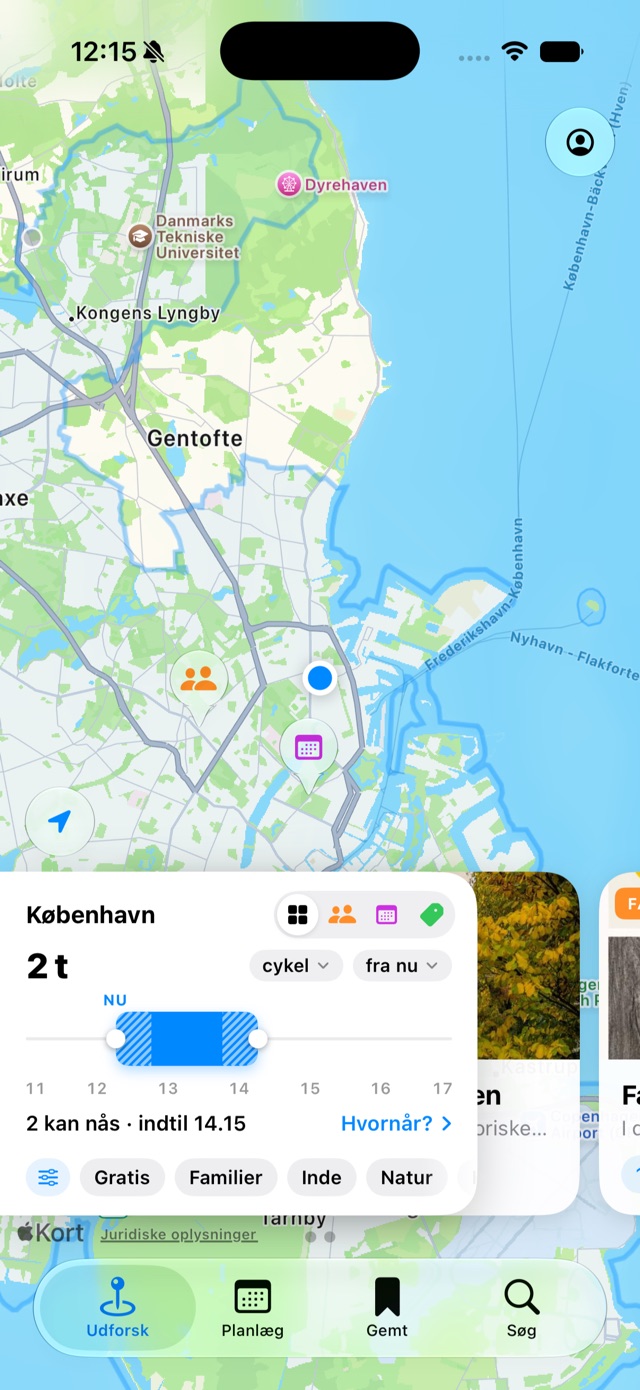
- On foot, by bike, by transit or by car
Travel time is counted both there and back. - From now or later in the day
Drag the timeline to move the start and the length. - Half an hour to twelve hours
And you decide how much of it can go to getting there.
Which days, and what you're in the mood for
The time card at the bottom of the map shows the next fourteen days as bars, so you can see when the most is going on. Tap a day, or drag across the days you want to see together, like a whole weekend.
Filter for what you're actually looking for. Each chip shows how many happenings are left, so you never filter yourself down to nothing. And if we don't know whether something is free, it's left out when you ask for free.
- Price
- FreePaid
- Who it's for
- FamiliesEveryoneAdults (18+)
- Indoors or outdoors
- IndoorsOutdoorsBoth
- Vibe
- CozyCalmLivelyFestiveIntimateReflectivePlayful
- Category
- MusicStageFilmArtWordsToursWorkshopClassesMarketFood & drinkPartyPlay & gamesBody & mindSportsNatureRepair & swapCommunityHoliday
- Language
- DanishEnglishOther
- Accessibility
- Step-free accessAccessible toiletHearing loopSign language interpretedSeatingSensory-friendly
From map to calendar
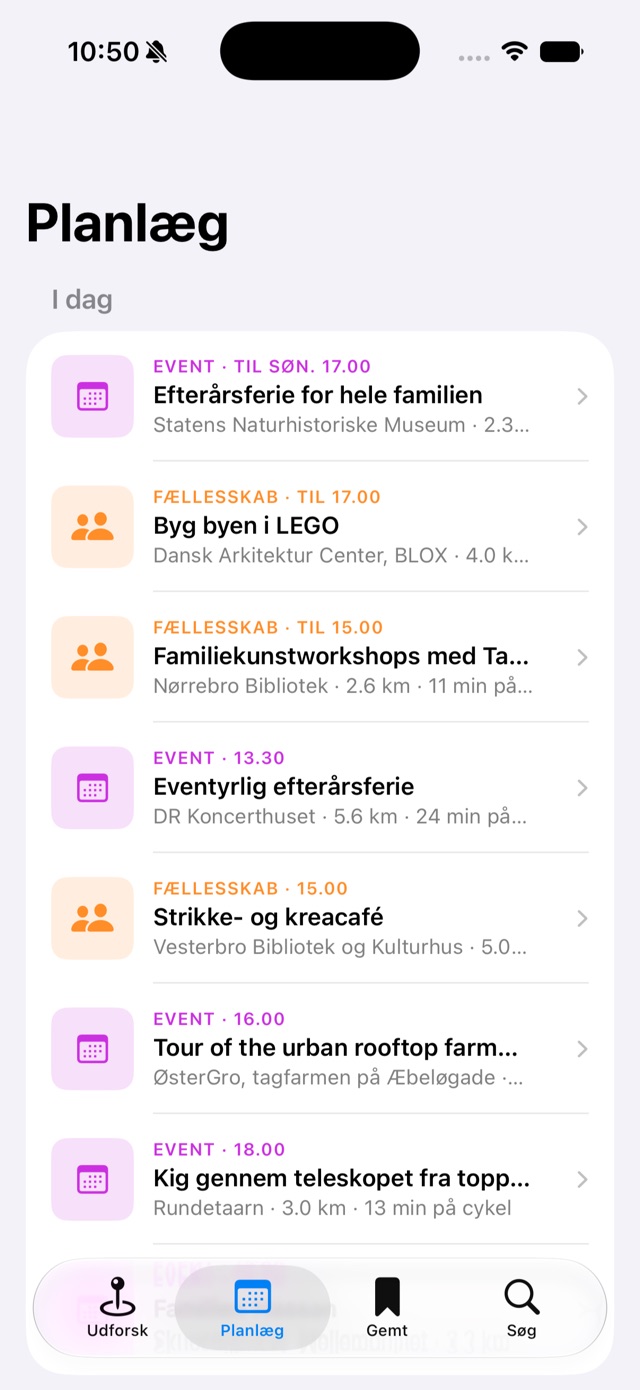
Your days in order
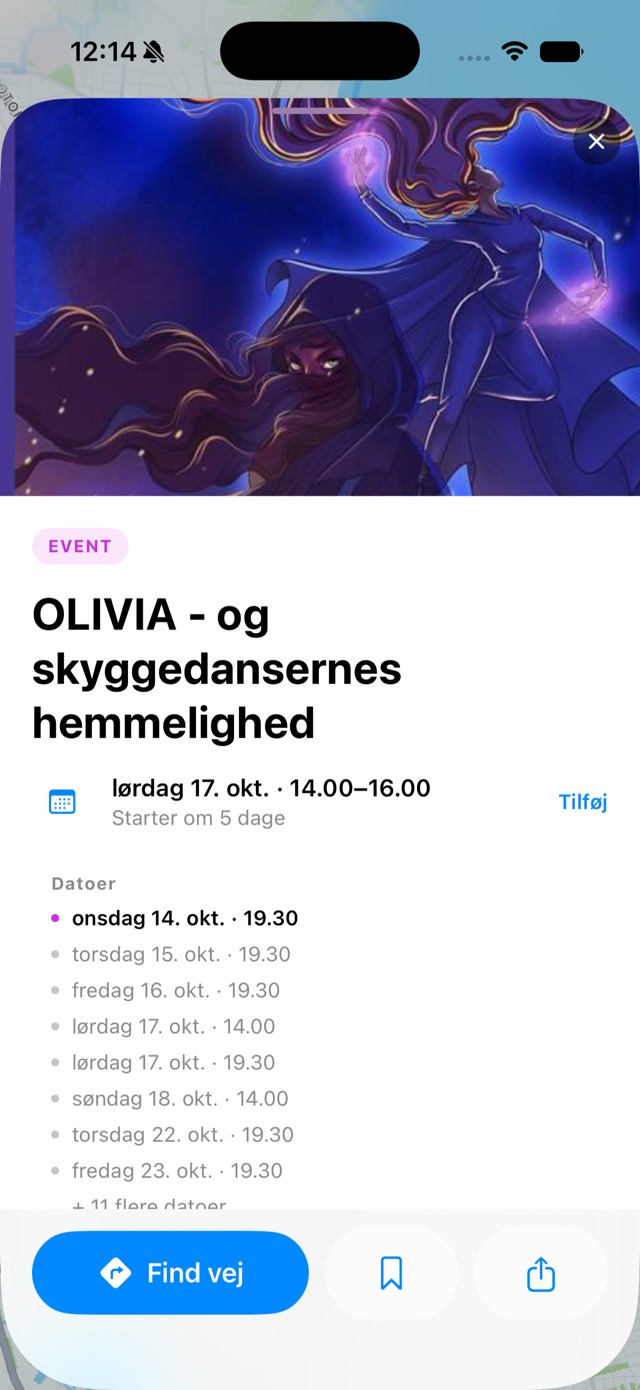
The Plan tab lines up everything you can make it to, in the order it happens. Swipe a happening up for photos, all its dates and the way there, and add it to your calendar with one tap. Save it, and it's waiting for you under Saved.
Your location never
leaves your phone*
The app doesn't send your location to Jamii. It only asks for the area you want to look at. You don't need an account to look around, and there are no ads, no tracking and no cookies. Not on this page either.
* Unless you use "I want Jamii here". In that case your approximate location is sent to Jamii, so we can see where you want Jamii to be.
Running something local?
-
Put it on the map
Associations, music venues, cafés and neighbors create happenings themselves on My Jamii, with or without the app. If the time or the place changes, you fix it in the same place.
-
Did we add it?
We go through the city's calendars and add happenings ourselves, marked "Added by Jamii". If it's yours, we're happy to fix it, or you can take it over and keep it up to date yourself.
-
Share the link
Every happening has its own link with a photo, time and place. It looks good in a message or a post, and it works for people who don't have the app too.
Put something on the map yourself
A flea market in the courtyard, a shared dinner in the basement, a concert in the church. Anyone can create a happening on My Jamii, from a phone or a computer, and you don't need the app.
-
Sign in to My Jamii
Go to jamiiapp.com/opret and sign in with Apple or your email. If you have the app, you're already in: tap "Create happening" under Profile.
-
Fill in title, time and place
Choose whether it's an event, a community or an offer, set the pin on the map, and add a photo. If it has several dates, it's still one happening.
-
Send it off
We read through your first happenings before they go on the map, usually within a day. You can always edit, cancel or archive them under My happenings.
We're starting in Copenhagen
The map covers Copenhagen and the surrounding area, from Kongens Lyngby in the north to Dragør in the south. If you live somewhere else, tell us in the app. Where people say they want Jamii decides where we open next, and if you'd like to hear about it, we'll send you one email when we do.
Download on the App Store Google PlayComing soon · get notified
For iPhone, with Android on the way. Free and without ads.
The app is in Danish for now - an English version is on the way.